 Barton Forge
The lawn care app for solo mowers and small crews
Weekly and every-2-weeks yards, customers, and payments on your phone. No office, no laptop.
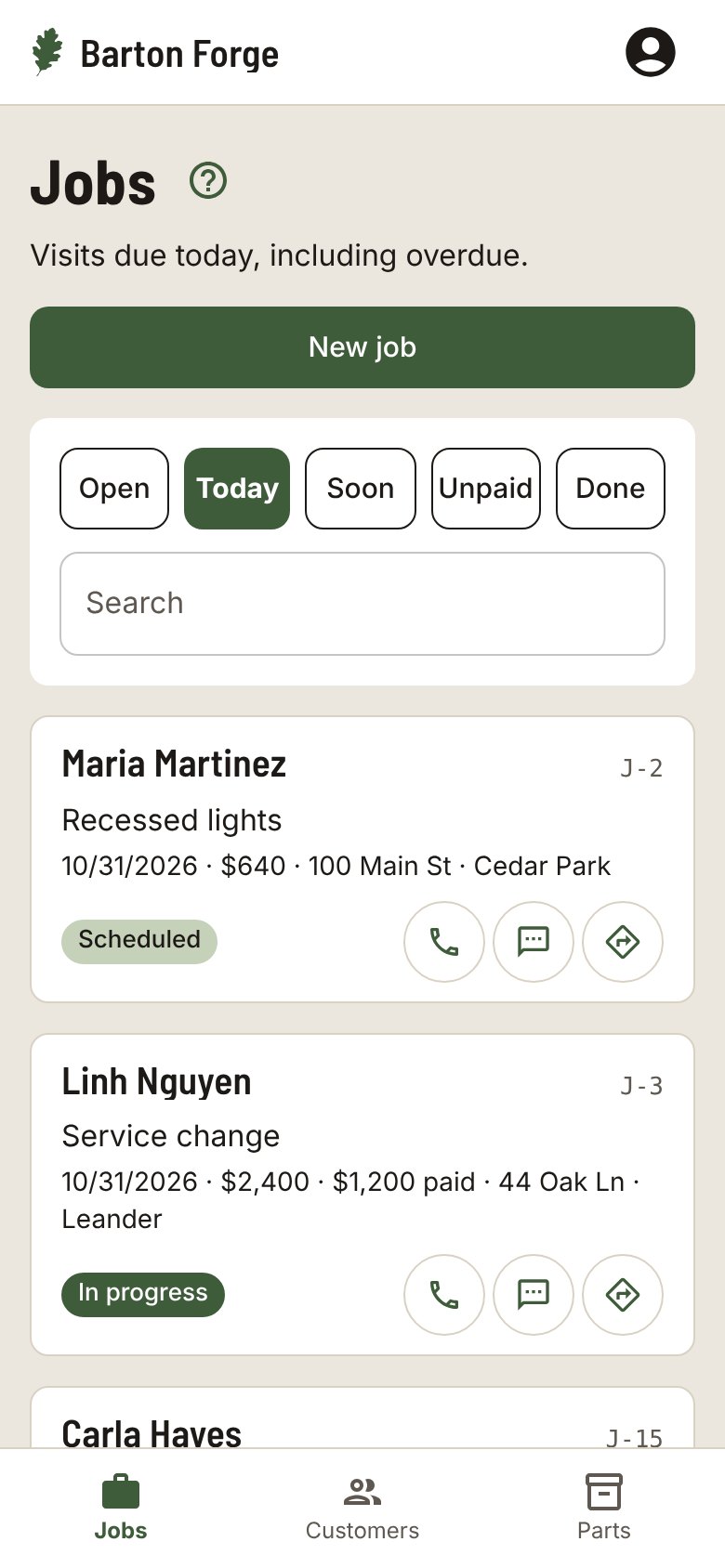
How a day goes
Set up the yard once
Make the job Weekly, Every 2 weeks, or Monthly with a price per visit. Gate codes and notes stay on the job.
Work today’s list
Today shows every yard that is due, including any you missed, with a Directions button on each one.
Complete the visit
Tap Complete visit and the next date moves forward on its own. Rained out? Skip visit moves the date and adds nothing to the bill.
Collect what is owed
Each completed visit adds to the balance. The Unpaid list shows who owes you, oldest first, with a Payment reminder text on each card.
A checklist that fits the work
Pick your trade when you start and each new job gets these steps. Change them on any job.
- Mow
- Edge
- Trim
- Blow off walks and drive
Also in Barton Forge
- From 4 p.m., Today shows how many yards are on for tomorrow, with a Visit reminder text for each
- Before and after photos on the job, ready to send
- An Ask for a review text with your review link
- Sends your customers, invoices, and payments to QuickBooks Online
Questions
What if I skip a week for rain?
Tap Skip visit and add a reason if you want. The next date moves forward and nothing is added to the bill.
Does it work in Spanish?
Yes. Each person picks English or Spanish for the app, and each customer can get their texts in English or Spanish.
Can my helpers use it?
Yes. Add the people on your crew, assign each job, and everyone sees the jobs that are theirs.
Does it work with QuickBooks?
Barton Forge sends your customers, invoices, and payments to QuickBooks Online.
Do I need to install anything?
No. It runs in your phone’s browser. Add it to your Home Screen and it opens like an app.
Customers and jobs. All on your phone.
Built for one-person shops and small crews in every trade.